Search for:
Reviews
bondarklim02.05.2026
It performs the declared functionality. When problems are identified, the developer responds as quickly as possible
VolvoProCEM01.05.2026
Using mainly for CEM and DIM work. very stable and fast tool, no unnecessary stuff.
Really like that I can do most operations over OBD without removing modules👍
wrceptICM01.05.2026
Using for test displays and audio modules. the tool that I was looking for for a long time.
would be good for the future that the complete controllling of audio unit would be possible🙂
AutoDiagLabDIM09.04.2026
Tested on P2 and P3 cars. EEPROM read/write works perfect.
Finally a tool that gives real low-level access, not just diagnostics.
License Shop
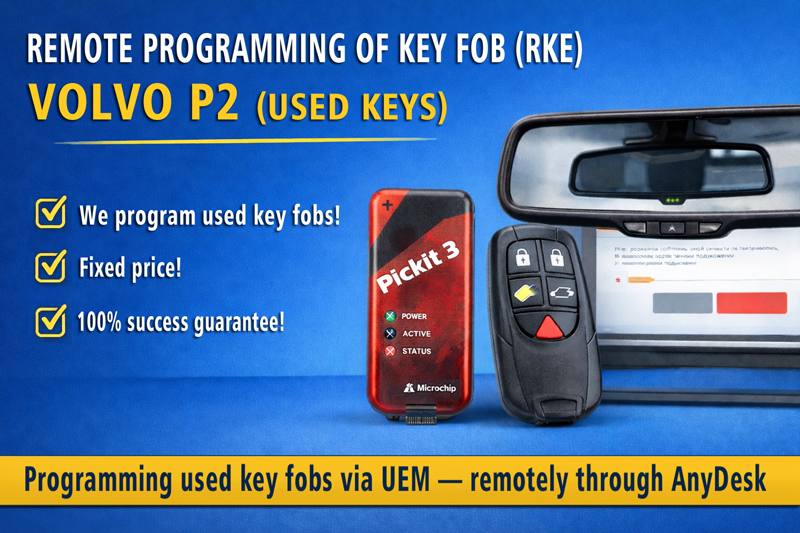
Remote Volvo Key Fob Programming

Remote Programming and Volvo Key Fob Pairing

Volvo-Tech.com offers remote programming and pairing of Volvo key fobs over the internet.


Supported Vehicles

Volvo S60
Volvo S80
Volvo V70
Volvo XC70
Volvo XC90
Model years: 2004–2014

What the Service Includes

  • Programming (pairing) of key fobs
  • Removing lost key fobs from the UEM module
  • Fully remote operation via the internet

Important Information

  • Service is performed only remotely
  • Vehicle must match the listed models
  • Client-side equipment connection and preparation required

How the Process Works

  1. You prepare the equipment
  2. Connection via AnyDesk
  3. Data preparation
  4. Key fob programming
  5. Result verification

Required Equipment

  • PicKit 2 / PicKit 3 — programming data into key fobs
  • Reading EEPROM from UEM
  • PC with Windows
  • Internet connection
  • Volvo key fob

Advantages

  • Experience with Volvo electronics
  • Direct work with the UEM module
  • Ability to restore all key fobs if lost
  • Saves time and costs

✔ 100% success if requirements are met
Fixed price: €50

Contact:
Telegram: Cyberbob_Volvo
Volvo TechNest

Volvo TechNest

Professional tool for working with Volvo electronics

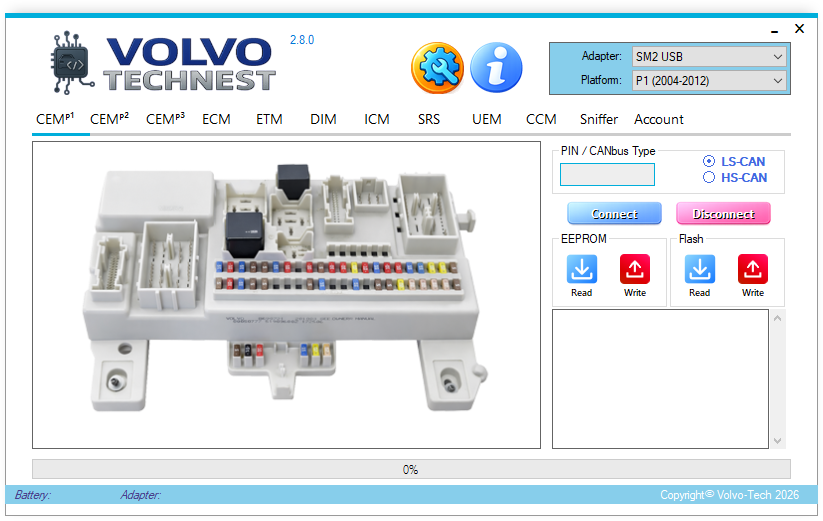
Specialized software for diagnostics, analysis, and programming of Volvo control units.
Full access to EEPROM, Flash, PIN codes, and CAN traffic.
Designed for auto electricians, service centers, and developers.

Buy Volvo TechNest

User reviews

wrcept
ICM
Using for test displays and audio modules. the tool that I was looking for for a long time. would be good for the future that the complete controllling of audio unit would be possible🙂
★★★★★
AutoDiagLab
DIM
Tested on P2 and P3 cars. EEPROM read/write works perfect. Finally a tool that gives real low-level access, not just diagnostics.
★★★★★

Key Features

EEPROM & Flash Operations

  • Read and write data
  • Dump saving
  • Module cloning
  • Recovery of corrupted data

CEM PIN Code Extraction

  • Programming new keys
  • Removing lost keys
  • Service operations
  • Fast and safe process

SRS Crash Data Reset

  • Read SRS data
  • Clear crash data
  • Post-accident recovery
  • Restore module without replacement

CAN Sniffer

  • View CAN messages
  • Message analysis and debugging
  • Diagnostics and reverse engineering
  • Automotive electronics development

Volvo TechNest Capabilities

🔧 CEM (Central Electronic Module)

  • P1 platform — EEPROM & Flash cloning for replacement
  • P3 platform — read, write, coding changes
  • P2 platform — EEPROM & Flash cloning, key transponder programming/removal

⚡ DIM

Full module reflashing

🌡️ CCM

Full module reflashing

🛡️ SRS

Full reflashing, crash data reset and recovery

🔧 UEM

Full reflashing, remote transfer and key re-pairing

🖥️ ICM

Firmware read/write

🔌 J2534 Adapter Compatibility

Tested with:

  • Volvo DiCE
  • Scanmatic 2/3
  • Mongoose
  • Topdon RLink X7

J2534 support allows using existing hardware without expensive interfaces.

🧪 Bench Testing DIM & ICM

Allows running DIM and ICM modules on the bench without installation in a vehicle using CAN simulation.

📋 List of Supported Modules

CEM P1:
1L15Y 125kbps + 1M84E 500kbps, 29bit, Flash/EEPROM RW. [PIN required]
CEM P2:
M32C M30855FWUGP + 93LC86C — 500kbps, 29bit, Flash/EEPROM RW. Key transponder programming/removal. [PIN required]
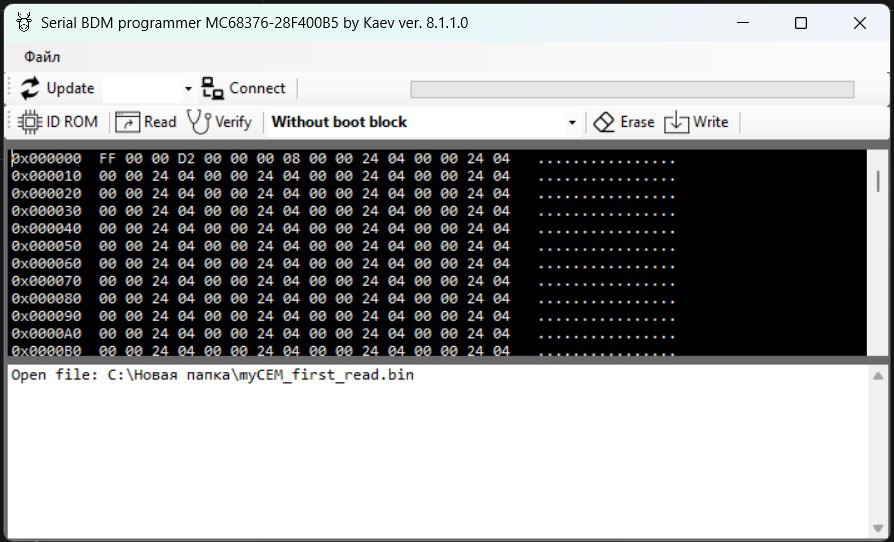
MC68376 + 28F400B5, 29bit, Flash RW. [No PIN required]
CEM P3:
6G9T-14256, 7G9T-14256, BG9T-14256, CG9T-14256 — coding RW
DIM:
0L85D — 125kbps, 29bit, Flash/EEPROM RW
3K91D — 125kbps, 29bit, Flash/EEPROM RW
3L16K — 125kbps, 29bit, Flash/EEPROM RW
1K78X — 125kbps, 11bit, Flash/EEPROM RW
1M80F — 125kbps, 11bit, Flash/EEPROM RW
ICM:
64F7055 — 125kbps, 29bit, P-Flash RW
MAC7116 — 125kbps, 29bit and 11bit, D-Flash/P-Flash RW
SRS:
CONTINENTAL/TEMIC (1L40K) — 125kbps, 29bit, RW / Crash data reset
BOSCH CR16MCS9 — 125kbps, 29bit, EEPROM RW
UEM:
0L85D — 125kbps, 29bit, Flash/EEPROM RW, remote transfer
3L40K — 125kbps, 29bit, Flash/EEPROM RW, remote transfer
0K75F — 125kbps, 29bit, EEPROM RW / Flash R, remote transfer
CCM:
ALPS 68376 + 29F200BB — 125kbps, 29bit, Flash R
ALPS 68376 + 28F200 — 125kbps, 29bit, Flash RW
ETM Magnetti Marelli:
125kbps, 29bit, Flash RW

Frequently Asked Questions

❓ Is special hardware required?
Yes, a J2534 adapter is required.
❓ Is there a risk of damaging the ECU?
The software includes protection mechanisms to prevent incorrect writing.
❓ Does the software work via OBD?
Yes, most operations are performed via the diagnostic connector.
❓ Is support provided?
Yes, users receive technical support.

Start working with Volvo TechNest

If you work with Volvo electronics, this tool will significantly expand your capabilities.

Buy Volvo TechNest

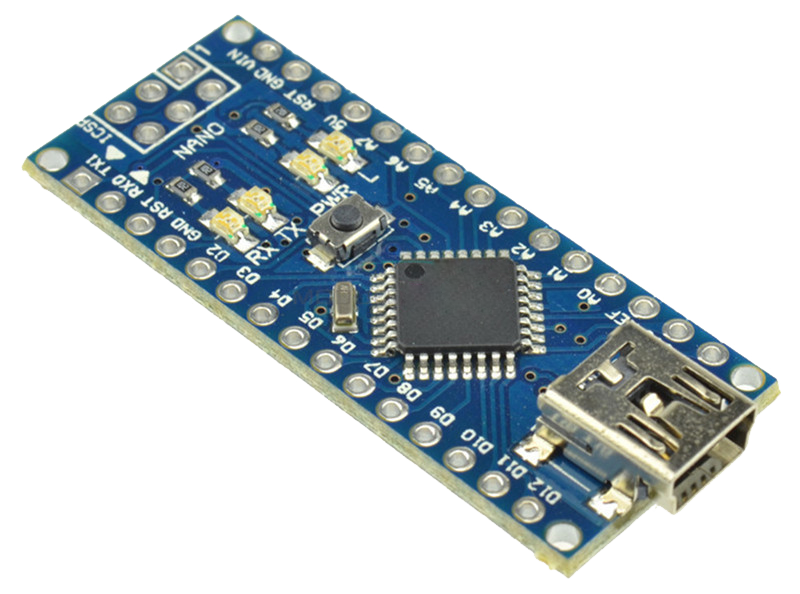
CEM MC68376 module 28F400B5 Flash low cost 8.1.1.0 programmer with ATMEGA328 Arduino NANO

BDM Programmer for CEM MC68376 + Flash 28F400BB

based on Arduino Nano

Arduino Nano

Arduino Nano — an affordable and widely available platform.
USB–UART — recognized as a standard COM port in Windows.
Full control of MC68376 + 28F400BB — erase, write, and block selection.

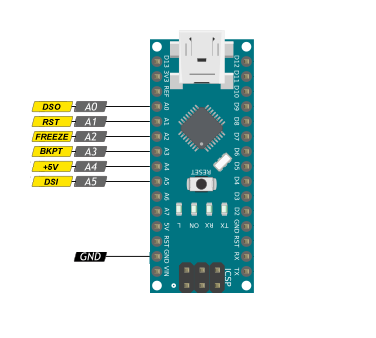
Connection Pins (PC0–PC5 + GND)

Pinout Nano BDM

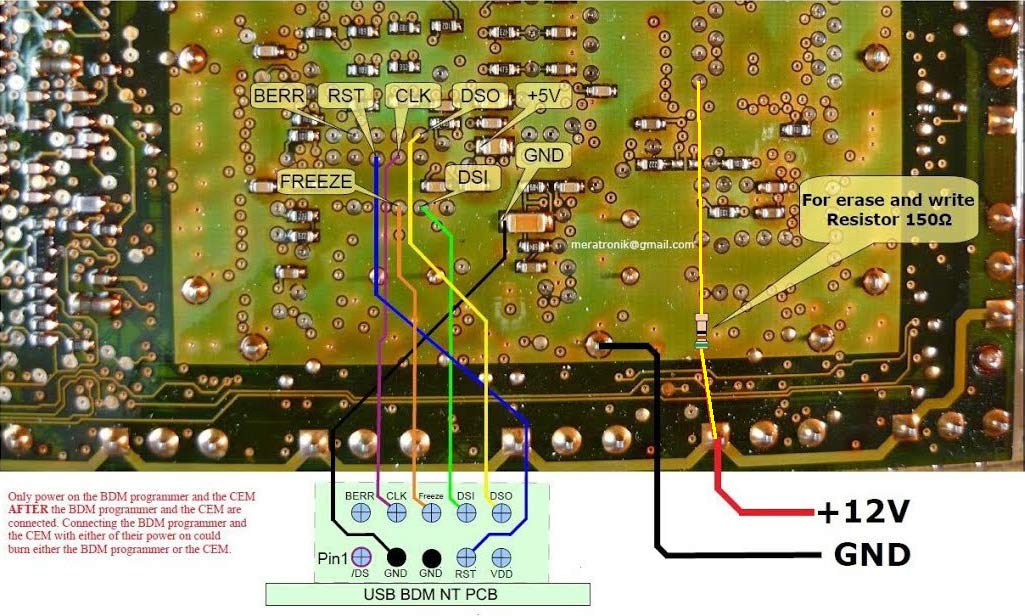
CEM Connection Diagram

CEM connection

For complete erase/write of the 28F400BB flash, use a ~100 Ω resistor on the empty pad (BOOT lock circuit).
You can also manually switch the BOOT jumper — the boot lock can be removed by software.

Start in 3 Simple Steps

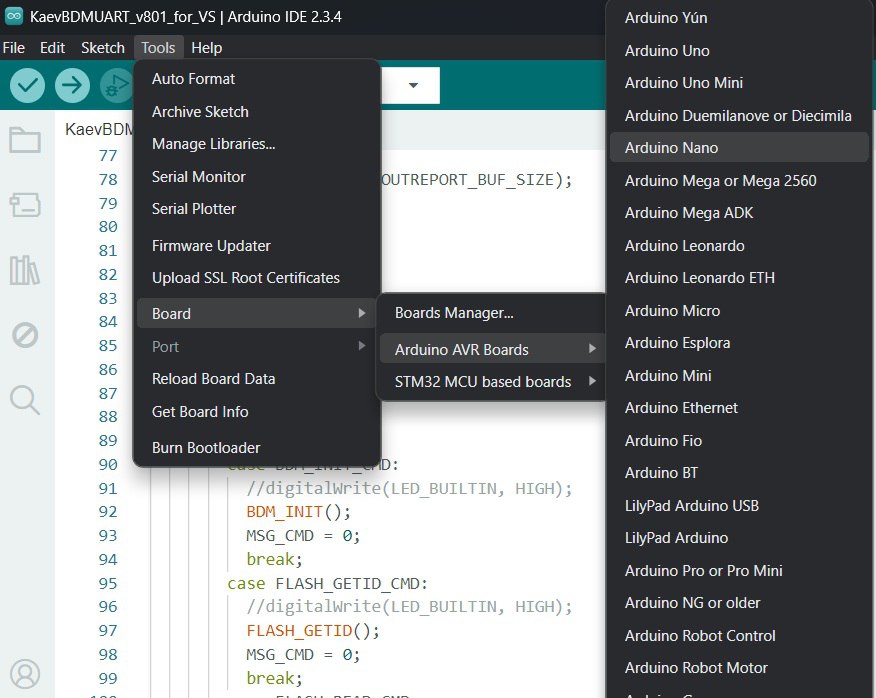
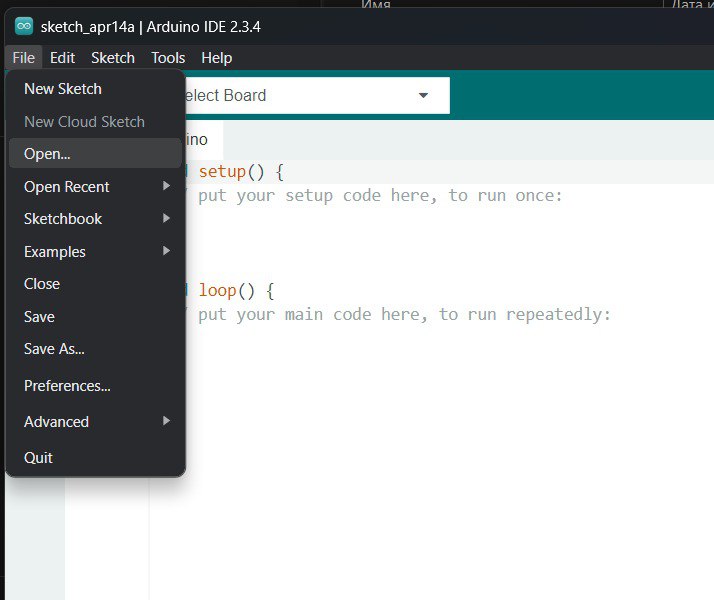
1️⃣ Upload the sketch — select the COM port and upload.
Upload
2️⃣ Connect the BDM to the CEM and apply +12V power.
Upload
3️⃣ Work in SerialBDM — easy read and write operations.
BDM

⬇ Download Kaev SerialBDM

Password generation
Authorization
*
*
Registration
*
*
*
*