
Supported Vehicles
Volvo P2 platform · 2004–2014
S60
S80
V70
XC70
XC90
Key Features
MODE 01
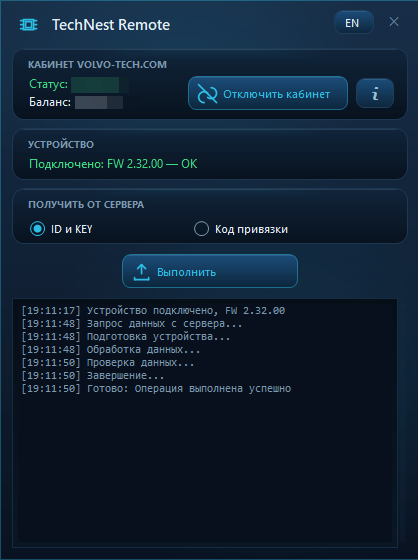
UEM Remote ID
Retrieve remote identifiers for direct programming into the UEM mirror.
MODE 02
Key Label Data
Retrieve key label data for subsequent pairing using the standard procedure and a compatible key programming tool.
What You Need
- Microchip PICkit 2 or PICkit 3 — required to work with the remote key circuit board.
- A Windows PC with an internet connection.
- A Volvo remote key compatible with the supported system.
- Access to the UEM module’s EEPROM data for procedures that require working with the module contents.
How It Works
1
Prepare the equipment
Prepare the remote key and a PICkit 2 or PICkit 3 programmer.
2
Connect the programmer
Connect it to the test points on the remote key circuit board according to the connection diagram.
3
Launch the online decoder
Follow the instructions provided by the application.
4
Select a mode
Retrieve UEM Remote ID or Key Label Data.
5
Use the retrieved data
Use the data for the corresponding remote key procedure.
Advantages
✓ Work independently without remote assistance
✓ Two data preparation options
✓ PICkit 2 or PICkit 3 support
✓ Online access to the tool
Important Information
Before starting, make sure the remote key and vehicle are compatible with the supported platform. Direct programming of data into the UEM may require preparation of the module’s EEPROM contents. Standard key pairing requires a compatible key programming tool.
Before starting, make sure the remote key and vehicle are compatible with the supported platform. Direct programming of data into the UEM may require preparation of the module’s EEPROM contents. Standard key pairing requires a compatible key programming tool.
PRICING
Remote Key Programming
50 €
Price per remote key